

The LPS October Monthly Family Update is now available for LPS families!
LPS Communications sends the newsletter on the last Friday of every month with important information for families. Click on the button in the update for either elementary, middle or high school. We’ve also included an index for each section to help you find the information that impacts you and your child.

Attention Knights, you could be someone's type!! The fall blood drive is right around the corner. Sign up in the commons at lunch all week. Must be 16 to participate.
If you have questions, see any HOSA chapter member or Mrs. Wilcox.
Every donation makes a difference and can save up to 3 lives.
It's a bloody good way to help others!!
If you are interested in participating in Boys Basketball at Lincoln Southeast, there will be a brief Tryout meeting in room E206 at 3:10PM directly after school on Wednesday October 28th. Please see Coach Werning if you have any questions.
Members of LSE’s senior class have the opportunity to submit a senior portrait for inclusion in the Senior Section of the Shield Yearbook. The Shield is accepting senior portraits through Friday, October 30, 2026. Photos must be submitted digitally; due to printing deadlines, we are unable to accept senior portrait submissions after October 30. Please contact Mrs. Reid with any questions.
Winter Sports Season is RIGHT AROUND THE CORNER so you know what that means...it's time to KNIGHT STRIKE BOOM!!! Girls & Boys Bowling will have a pre-season interest meeting on Thursday October 29th @ 3:15pm in D129. Please SPARE some time to come & receive IMPORTANT information for the 26-27 season, meet the coaching staff & get READY TO ROLL!! Contact Coach Davis in the main office with any questions.
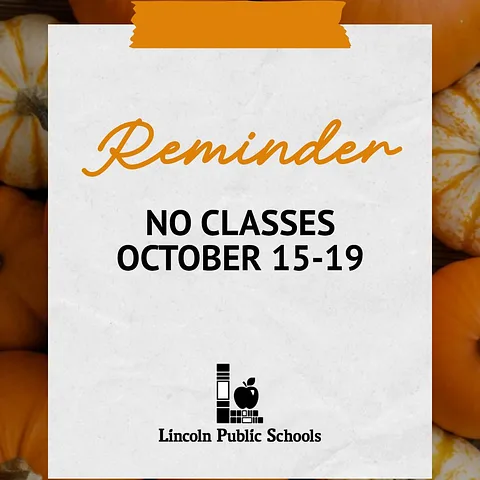
REMINDER: It is LPS Fall Break and there are no classes for LPS students Thursday – Monday (Oct. 15-19).
We are excited to see our students back for the start of the second quarter on Tuesday, October 20th!
Review the LPS Student Calendar on our website: https://www.lps.org/o/lps/page/calendars
LSE will hold their monthly Food Market on Wednesday, October 21st from 2:45 - 3:15pm in the Lower Commons. All LSE students, parents and staff are welcome to attend and fill a bag of groceries to take home. Food can not be opened in the building. Thank you.
Lights! Camera! Action! Come see Southeast's Fall Play "Hit and Misdemeanor", a thrilling murder mystery set in a 1970s television studio. You'll laugh! You'll gasp! You might even get to join in on the investigation. We hope to see you groovy detectives there to help us find out "whodunnit" on October 8th and 9th at 7pm, and October 10th at 2pm in the Jennifer L. Dorsey- Howley Performing Arts Center. Purchase your tickets on CUR8.com or at the box office before the show. Tickets are $8.00 for LSE students.
The LPS September Monthly Family Update is now available for LPS families!
LPS Communications sends the newsletter on the last Friday of every month with important information for families. Click on the button in the update for either elementary, middle or high school. We’ve also included an index for each section to help you find the information that impacts you and your child.
Thinking about college? Juniors and seniors are invited to attend the LSE College Fair on Monday, October 5 from 9:00–10:30 a.m. in Prasch Gym.
To participate, you must register for a barcode ahead of time. Details are posted in your Graduation Google Classroom or available from your school counselor.
Attention, Knights! Do you like arguing and, more importantly, being right? Do you like investigating important issues, weighing the evidence, and determining the best course of action? Want to learn how to do all those things better and be part of an awesome team this school year? Join Southeast Debate!
The LSE Debate Team will hold a short informational meeting on the upcoming season next Monday, September 21st, after school in E215. Contact Coach Dosskey or Mr. White with any questions. Hope to see you there!
LSE will host their monthly Food Market on Wednesday September 16th in the Lower Commons from 2:45-3:15pm. All students, parents and staff are welcome to come and fill a bag of groceries to take home. Food can not be opened inside the building.
Education Quest at LSE
Seniors -
Lizzy Waite from Education Quest comes to LSE every other Wednesday starting on September 9th. Lizzy can help students and families with questions about the FAFSA and other ways to finance their education beyond high school. She is also a great resource for students who need direct help filling out the FAFSA or setting up their FSA ID.
There is a link to sign up for a 40 minute session at LSE. The link is available in the Senior Google Classroom or from your Counselor. If you are not able to make an appointment at LSE, help is also available at Education Quest. Both options are free and can include a parent or guardian.

Seniors - The deadline to submit Senior Photos and purchase a Senior Tribute Ad is quickly approaching. Check your email for more information!
Club sign up ends tomorrow, 9/4/26. Use Jump Code EV3Q to sign up for Fall Clubs. A list of clubs can be found on the LSE website on the Clubs page under Activities.
If you are interested in a future career in medicine The High School Alliance of Future Physicians (HSAFP) Club is for you. By joining HSAFP, students can develop essential skills, gain valuable experience, and build a strong network, all of which are crucial for a successful career in the medical field. This club is for is tailored to all grade levels.
Sign up today. Any questions See Mrs. Moravec in G105.
FINANCIAL AID - COLLEGE PLANNING NIGHT
SAVE THE DATE!!
LSE is planning a College Financial Aid Planning Night. Education Quest College Planning Staff will be in the LSE Lower Commons on Tuesday September 22nd from 6:30-7:30. Presentation will begin after Parent/Teacher Conferences. The presentation will include information on the FAFSA, scholarships, and other aid options for students and families thinking about college.
Juniors & Sophomores interested in taking the PSAT optional exam: See information about the test and how to register in your graduation class google classroom or talk with your School Counselor.
Join KnightVision Club - KnightVision is an academic club. It is a student collaboration and content creation club that specializes in streaming broadcasts of home varsity athletic events for the Lincoln Southeast community. Students are able to practice hands on with skills like videography, editing, streaming, and content production technology. If you are a student interested in joining KnightVision for the 26/27 school year, sign up on club day or visit Mr. Aylward in C115.

Club sign up starts Monday, August 24th. A list of clubs can be found on the LSE website on the Clubs page under Activities. Sign up ends on September 4th.